SiteDrop vs Vercel: Which Is Easier for Beginners?
A comparison between SiteDrop and Vercel, focusing on which platform is the best fit for beginners, small business owners, and those publishing AI-generated websites.
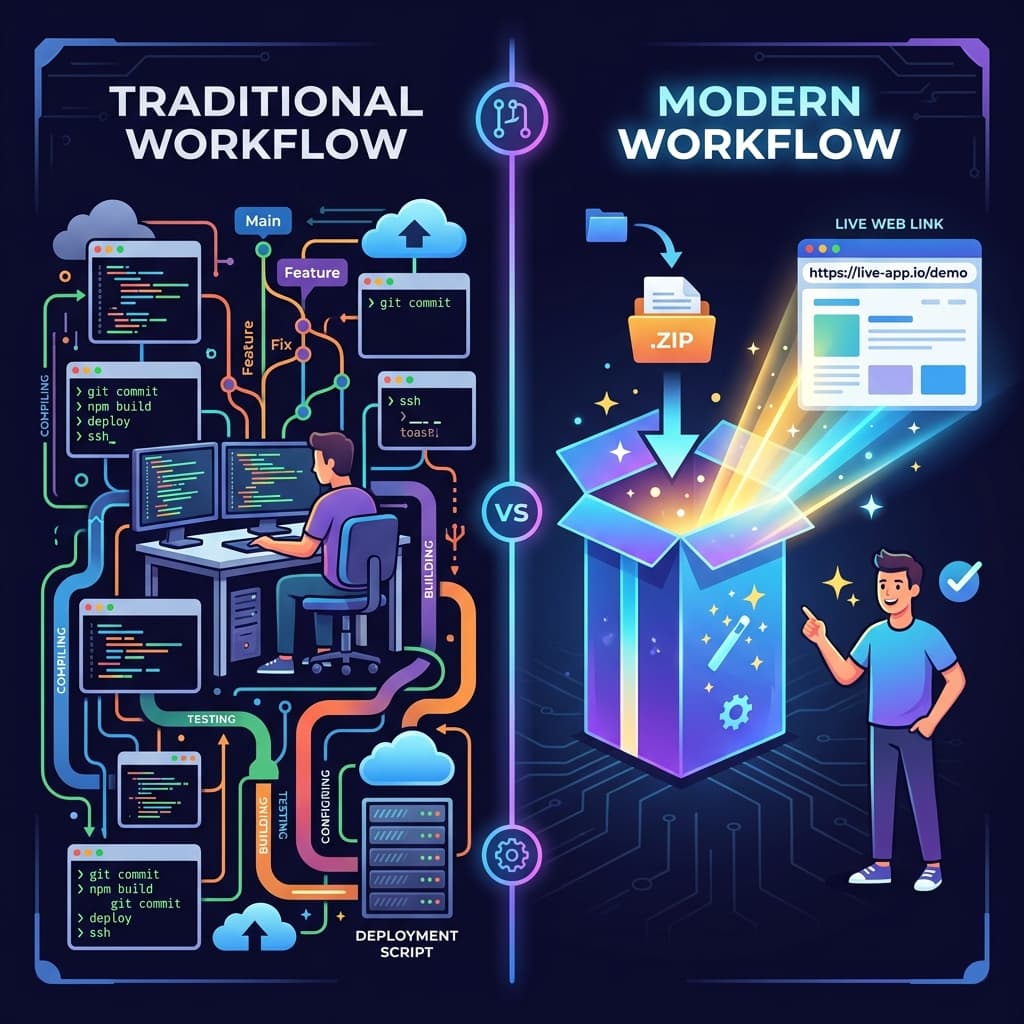
When it comes to hosting a website today, you might have heard of Vercel. It's a fantastic platform used by developers worldwide. But if you are a beginner, a small business owner, or someone who just used ChatGPT to generate a website, you might find Vercel overwhelming.
In this post, we'll compare Vercel with SiteDrop to help you decide which platform is the best fit for your needs.
Vercel: Built for Developers
Vercel is incredibly powerful, but it is explicitly designed for software engineers. To use Vercel effectively, you typically need to understand:
- Git and GitHub: Connecting repositories and managing branches.
- Command Line Interfaces (CLI): Running terminal commands to deploy.
- Build Frameworks: Configuring Next.js, React, or Vite settings.
If you are a developer building a complex web application, Vercel is one of the best choices available. But if you just have an HTML file or a ZIP folder of your website, Vercel's learning curve can feel like a brick wall.
SiteDrop: Built for Everyone Else
SiteDrop takes a completely different approach. It removes all the developer-centric requirements and focuses on one simple action: drag and drop.
- No Git required: You don't need a GitHub account or version control.
- No terminal commands: Everything happens in your browser.
- No build configuration: SiteDrop automatically figures out how to serve your static files.
If you asked an AI tool to build you a website and it gave you a ZIP file, you can literally drag that ZIP file onto SiteDrop, and it will be live globally in under 60 seconds.
Feature Comparison
1. The Deployment Process
Vercel: Create a GitHub repo, push your code, connect Vercel to GitHub, configure build settings, and deploy.
SiteDrop: Drag your folder or ZIP file onto the screen. Done.
2. Custom Domains
Vercel: You buy a domain elsewhere, configure DNS records (A records, CNAMEs), and wait for propagation.
SiteDrop: You can search for and buy a domain directly within the dashboard. SiteDrop configures all the DNS records for you instantly.
3. Updating Your Site
Vercel: Commit new code to your Git repository and push.
SiteDrop: Drag and drop your updated folder or ZIP file.
The Verdict: Which Should You Choose?
Choose Vercel if: You are a developer building a full-stack application with frameworks like Next.js, you need serverless functions, and you are comfortable with Git.
Choose SiteDrop if: You want the absolute easiest way to get a static website, portfolio, or AI-generated site online without learning any technical skills.
See how easy it is
Experience the simplest way to host a website. Drag, drop, and you're live.
Try SiteDrop for free →Comments
No comments yet. Be the first to share your thoughts!