The AI Restaurant Website Builder That Reads Your Menu
Typing 60 dishes into a website builder takes hours. SiteDrop reads your printed menu with AI vision, extracts every item, price, and modifier — and builds a complete restaurant website around it. Under five minutes. Zero typing.
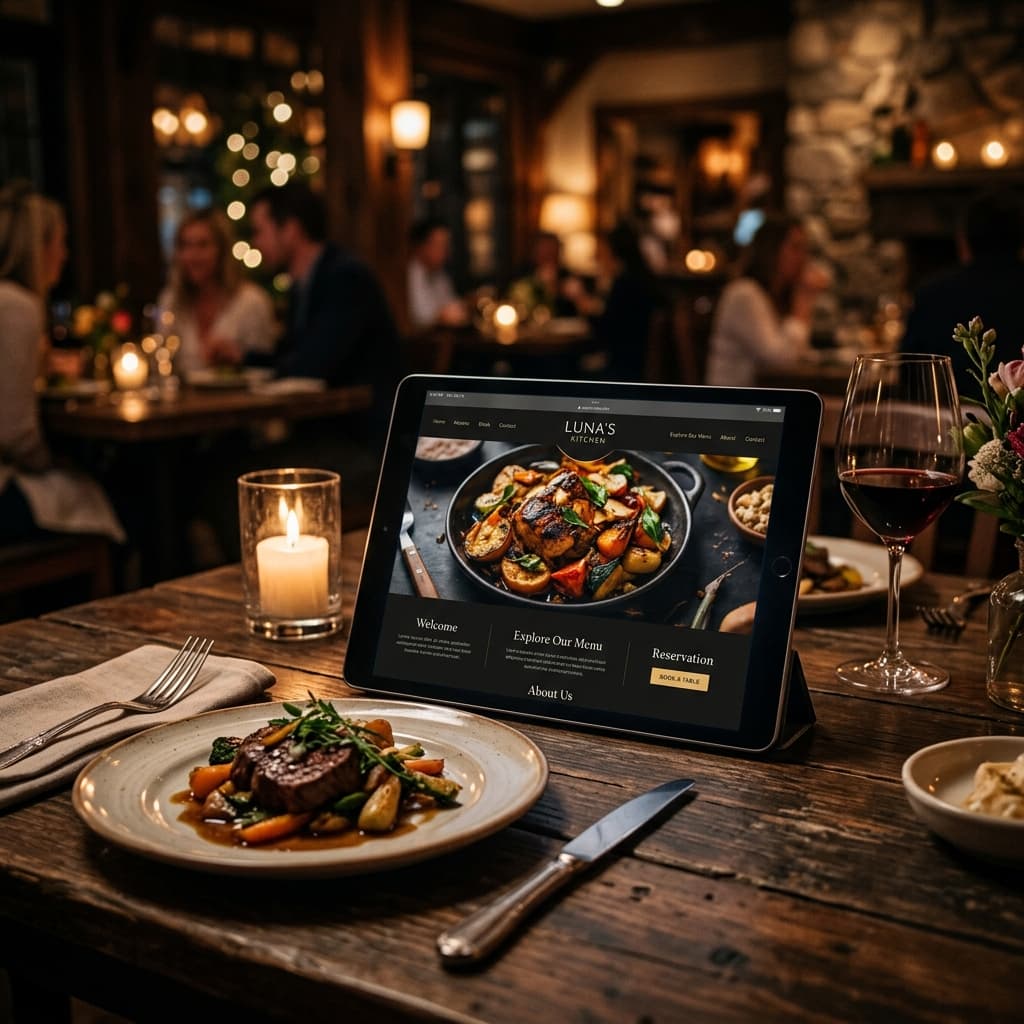
Ask a restaurant owner what they dread most about getting a website, and the answer is almost always the same: the menu. Not the design. Not the hosting. Not the domain name. The menu.
Typing every dish, every price, every description, every modifier ("add guacamole +£2") into a website builder is soul-crushing work. A 60-item menu with descriptions and prices can take three to four hours to enter manually. That's before you organise it into categories, format it to look decent, and realise you misspelled "bruschetta" twelve times.
SiteDrop eliminates the entire ordeal. Upload a photo of your menu — or a PDF — and the AI reads it, structures it, and builds your entire restaurant website around it. Every dish. Every price. Every modifier. Extracted in seconds, not hours.
The Restaurant Problem No Other Builder Solves
Every website builder on the market treats restaurants the same way they treat accountants and personal trainers: answer some questions, pick a template, start typing. The result is either a generic page with no menu, or a template with an empty menu section that says "Add your dishes here" — which means you're back to the three-hour typing marathon.
The irony is that the menu is the most important pageon any restaurant website. It's where customers decide whether to visit. It's what they share with friends. It's the page Google shows when someone searches "Italian restaurant menu near me." And yet it's the hardest part to build.
This is why so many restaurants don't have a website at all. The last two steps — entering the menu and uploading food photos — are so tedious that owners abandon the process. They end up with nothing, or with a Facebook page and a PDF menu that nobody can read on their phone.
How SiteDrop Builds a Restaurant Website
SiteDrop's restaurant flow is purpose-built for this industry. Here is exactly what happens when you create a restaurant site:
- Tell us about your restaurant.What cuisine? What vibe? Who's your ideal customer? These questions take about 60 seconds to answer.
- Upload your menu. Take a photo of your printed menu with your phone, or upload a PDF. The AI extracts every dish, every price, every modifier, every category — and presents them in a reviewable list. You can edit anything before confirming. Add a second page if your menu has a back side.
- The engine builds your site. SiteDrop's Forge engine compiles a full restaurant website: hero section with your restaurant name, an interactive menu accordion with every dish organised by category, an about section, a gallery, hours, location with map integration, social links, and a contact form — all styled with one of 170 curated design skins matched to your cuisine and vibe.
- Photos are matched automatically.Every dish in your menu gets a stock photo matched to its name and your cuisine. Chicken tikka masala on an Indian restaurant site finds an actual tikka masala photo — not generic "food." You can swap any photo later.
- Your site goes live.A free subdomain (yourrestaurant.sitedrop.live) is assigned immediately. Connect your own domain whenever you're ready.
Total time from "I want a website" to "my website is live": under five minutes. Total typing of menu items: zero.
Upload a Photo of Your Menu — That's It
The menu upload is the breakthrough that makes the restaurant flow different from everything else on the market. Here's how it works under the hood:
- AI vision reads your menu.Whether it's a printed menu, a handwritten specials board, or a PDF — the system uses advanced AI vision to read and extract every item. It understands categories ("Starters," "Mains," "Desserts"), prices (including dual pricing like "small/large"), descriptions, and modifiers ("add bacon +£1.50").
- Structured extraction, not guessing. The output is a structured data object — not pasted text. Each item has a name, price, description, and list of modifiers. Categories are preserved. The structure is what allows the website to render a proper interactive menu, not just a wall of text.
- Review before confirming. Every extracted item appears in an editable list. Rename a dish, fix a price, delete something seasonal. You have full control before it touches your website.
- Multi-page support. Got a front and back? A separate drinks menu? Upload multiple pages and the system merges them intelligently — matching categories by name, deduplicating items, and appending the rest.
- Handles up to 200 items across 30 categories, with modifiers. That covers everything from a 15-item coffee shop to a full-service restaurant with an extensive wine list.
The Menu on Your Website Is Interactive
Your menu doesn't appear as a static image or a downloadable PDF. It renders as a fully interactive, mobile-first accordion:
- Each category expands and collapses — customers jump straight to "Desserts" without scrolling past 40 starters
- Every dish shows its name, price, description, and modifiers — formatted cleanly, readable on any screen size
- Each item has a matched food photo from Pexels — free stock, automatically selected by dish name and cuisine
- The menu section is navigable from the site's header — customers tap "Menu" and scroll directly to it
- Google can index every dish name and price — your site shows up when someone searches "chicken katsu near me"
Compare that to a PDF menu: no SEO, no mobile formatting, no photos, no quick navigation. A customer pinching and zooming a PDF on their phone is a customer who's moving on to the next restaurant.
Edit Your Menu Later — Without Rebuilding
Menus change. Prices go up. Seasonal specials rotate. A new chef joins and rewrites the starters. With SiteDrop, updating your menu is as easy as uploading a new photo.
The "Edit menu" flow in the Studio re-opens the same extraction pipeline — upload a new photo/PDF, review the extracted items, confirm. The system splices the updated menu into your existing site, preserving all your other content and customisations. Your hero, about section, gallery, hours, and contact form stay exactly as they are. Only the menu changes.
Photos you've swapped (replaced a generic stock photo with your own shot of the dish) are preserved by name — if the dish still exists on your new menu, it keeps your photo. A renamed dish gets a fresh stock photo automatically.
Designed for Restaurants, Not Adapted for Them
SiteDrop's restaurant flow isn't a generic website builder with a "restaurant mode" bolt-on. The engine is restaurant-aware at every level:
- Cuisine-specific design: An Italian trattoria gets warm editorial tones with serif typography. A Japanese ramen shop gets dark, moody minimalism. A Caribbean jerk spot gets bold tropical energy. The 170 design skins include families specifically curated for food businesses.
- Menu-first structure: The AI places the menu prominently in the site hierarchy — after the hero and intro, before the gallery and contact. The most important content appears where customers expect it.
- Smart social integration:Provide your Instagram, TikTok, or Facebook links during creation and they appear in a dedicated social section and footer — because a restaurant's Instagram feed is often the second thing a customer checks after the menu.
- Opening hours block:A formatted hours section that Google can read (structured data) — so "is this place open right now" shows the right answer in search results.
- Contact form with enquiry inbox:Form submissions go to SiteDrop's built-in inbox and are forwarded to your email. No third-party form service needed.
Why Restaurant Owners Choose SiteDrop
The typical restaurant website journey goes like this: spend an hour picking a template, spend three hours typing the menu, give up on photos, go live with something mediocre, never update it. Or: spend £2,000 on a web designer, get a beautiful site, then pay them £50 every time a price changes.
With SiteDrop, the journey is: take a photo of your menu, answer four questions, go live. Update the menu next month by taking another photo. No designer. No typing. No monthly fees for basic edits.
| Traditional builder | Hired designer | SiteDrop | |
|---|---|---|---|
| Menu entry | Type every item | Email the designer | Upload a photo |
| Time to launch | 4–8 hours | 2–4 weeks | Under 5 minutes |
| Menu update | Log in, edit, republish | Email, wait, pay | Upload new photo |
| Food photos | Find and upload manually | Professional shoot £500+ | Auto-matched per dish |
| Mobile-ready | Template-dependent | Usually yes | Engine-guaranteed |
| SEO for dishes | Depends on template | Depends on designer | Every dish is indexable |
| Cost | £10–30/month | £1,000–3,000 upfront | Free to start |
From Photo to Live Website — In One Flow
SiteDrop exists because building a website should be as easy as the thing your business already does every day. A restaurant already has a menu — printed, laminated, taped to the wall. That menu IS the content. Everything else — design, structure, photos, hosting — is plumbing that technology should handle.
Take a photo of your menu. Answer four questions. Your restaurant website is live.
Build your restaurant website — free
Upload a photo of your menu, answer a few questions, and get a professional restaurant website with your full menu, food photos, and everything a customer needs to find you. No typing. No templates. Under five minutes.
Create Your Restaurant Site →Comments
No comments yet. Be the first to share your thoughts!