Upload Your Menu, Get a Restaurant Website — No Typing Required
Take a photo of your printed menu or upload a PDF. The AI extracts every dish, every price, every modifier — and puts it on a professional restaurant website as an interactive, mobile-first menu. Free. Under five minutes.
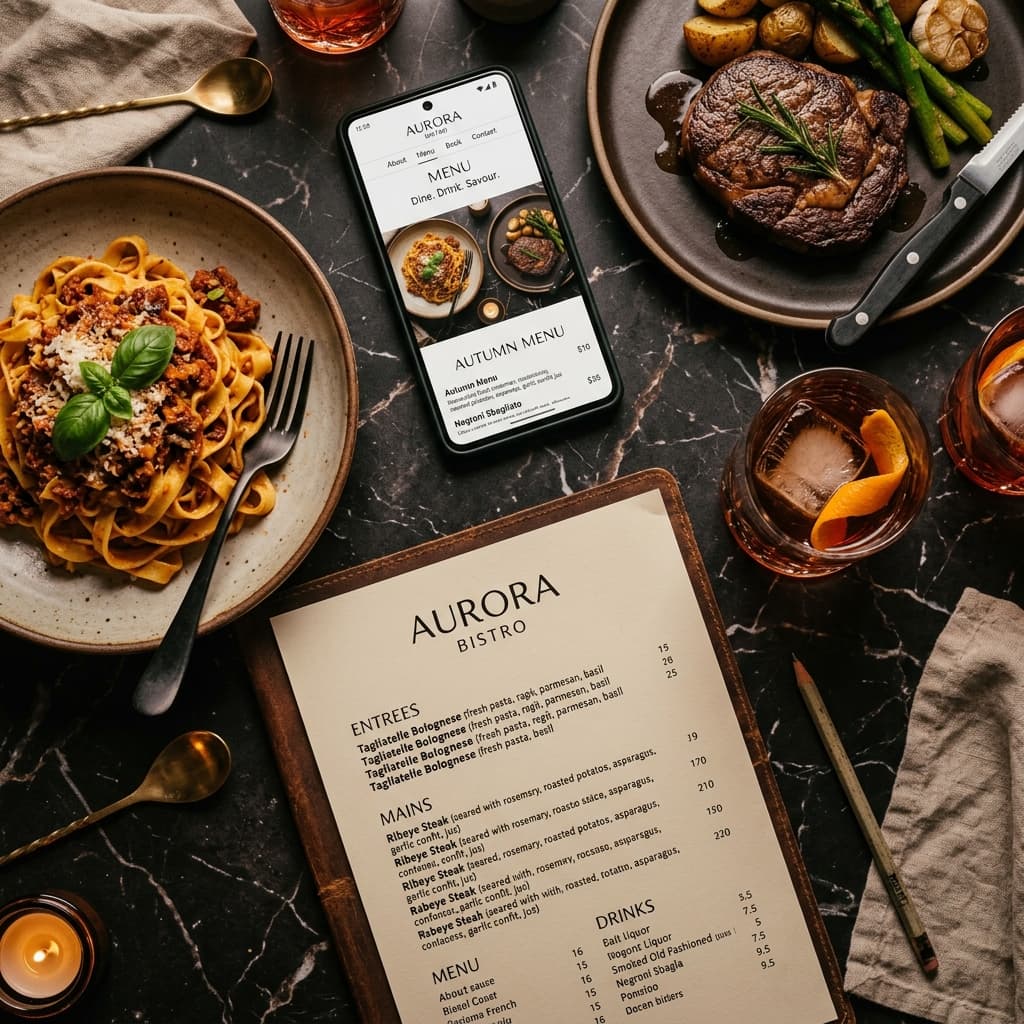
Every restaurant owner has a menu. Printed, laminated, taped to the counter — it already exists. But putting that menu on a website has always meant typing every single item by hand. Every dish name, every price, every modifier, every description. For a typical restaurant with 60 to 100 items, that's three to four hoursof mind-numbing data entry. It's the number one reason restaurant owners abandon their website halfway through building it.
SiteDrop's free menu uploader eliminates all of it. Take a photo of your menu (or upload a PDF). The AI reads every item, structures it by category, extracts prices and modifiers — and feeds it directly into your website. Zero typing.
The Problem: Restaurant Menus Are the Hardest Content to Digitise
A menu isn't like a company bio or an "About Us" paragraph. It has structure: categories, items within categories, prices, descriptions, modifiers ("add cheese +£1"), and sometimes dual pricing ("regular / large"). A simple copy-paste produces a wall of text. A manual entry into a CMS form takes forever.
Here's what restaurant owners have dealt with until now:
- Website builders: Empty menu templates that require typing every item name, price, and description into individual form fields. A 60-item menu = 180+ fields to fill.
- PDF upload:The menu appears as an image or downloadable file. It's unreadable on mobile (pinch and zoom), invisible to Google, and impossible to update without recreating the PDF.
- Third-party menu services:Monthly subscription fees (£20–50/month) for a menu widget that embeds on your site. The menu lives on someone else's server and may show ads.
- Just skip it: Many restaurants launch a website with no menu at all — defeating the entire purpose, since the menu is what 85% of visitors come to see.
How the Free Menu Uploader Works
SiteDrop's menu upload is built into the restaurant creation flow. Here's the exact process:
Step 1: Take a Photo or Upload a PDF
Open SiteDrop on your phone, tap "Upload Menu," and take a photo of your printed menu. Or, if you have a PDF version, upload that. Both JPEG and PNG images are supported, up to 4MB. That's it — no special formatting, no scanning app, no conversion tool.
Step 2: AI Extracts Every Item
Advanced AI vision reads your menu and extracts:
- Categories — Starters, Mains, Sides, Desserts, Drinks, Specials, Kids Menu, whatever your menu has
- Item names — every dish, exactly as written
- Prices— including dual pricing ("£8.50 / £12.50"), market price, and per-100g pricing
- Descriptions— "Pan-seared salmon fillet with lemon butter sauce and seasonal vegetables"
- Modifiers— "Add bacon +£1.50," "Make it gluten-free," "Extra shot +60p"
Step 3: Review and Edit
Before anything touches your website, you see every extracted item in an editable list. Fix a misspelling, adjust a price, remove a seasonal special, rename a category. Full control.
Step 4: Add Another Page (Optional)
Got a two-sided menu? A separate drinks list? Upload another photo and the system merges it intelligently — matching categories by name, deduplicating items, appending the rest. No manual sorting.
Step 5: Your Menu Is on Your Website
The confirmed menu appears on your restaurant website as a fully interactive, mobile-first menu accordion. Categories expand and collapse. Each dish shows name, price, description, and modifiers. Each item gets a matched stock photo. Google can index every dish.
What the Menu Looks Like on Your Website
This isn't a wall of text or a downloadable PDF. Your menu renders as a properly formatted, interactive section:
- Accordion layout:Each category is collapsible — customers jump to "Desserts" without scrolling past 40 starters
- Per-dish photos:Every item gets a stock photo matched by name and cuisine. "Margherita Pizza" on an Italian restaurant site finds an actual margherita photo, not generic "food"
- Mobile-first:The menu is designed for phone screens first — because that's where 70%+ of restaurant website traffic comes from
- SEO-indexed:Every dish name and price is real HTML text (not an image) — Google can index "chicken tikka masala £12.95" and show your site when someone searches for it
- Accessible: Screen readers can read every item. Contrast ratios meet WCAG AA standards. The menu is usable by everyone.
Update Your Menu in 30 Seconds
Menus change constantly. A new chef arrives. Prices go up. A dish sells out for the season. With SiteDrop, updating your menu is as fast as creating it:
- Open the Studio
- Tap "Edit menu"
- Upload a new photo of your updated menu
- Review the extraction and confirm
The updated menu replaces the old one on your live website, preserving all your other content — hero, about, gallery, hours, contact form. Photos you've previously swapped (replaced a stock photo with your own shot) are preserved by dish name — if the dish still exists, it keeps your photo.
Frequently Asked Questions
What file types are supported?
PDF, JPEG, and PNG. Files up to 4MB. For best results with phone photos, make sure the text is in focus and well-lit — the AI downscales large images automatically.
Can it read handwritten menus?
The AI can read clear handwriting, but printed text gives the best results. If your daily specials are on a chalkboard, try taking a well-lit photo — it handles most legible handwriting.
How many items can it extract?
Up to 200 items across 30 categories, each with up to 20 modifiers. That covers everything from a 15-item coffee shop menu to a full-service restaurant with an extensive wine list.
Can I link to my delivery platform menu instead?
SiteDrop intentionally doesn't scrape delivery platforms (Uber Eats, Deliveroo, Just Eat, DoorDash, etc.) because they block automated access. But you can upload a screenshot or PDF of your menu from anywhere.
What if the AI gets something wrong?
Every extraction goes through a review step where you can edit anything before confirming. Fix a name, adjust a price, delete an item, add a missing modifier. Nothing goes live without your approval.
Is the menu uploader really free?
Yes. The menu extraction and website creation are completely free. You get a free subdomain (yourrestaurant.sitedrop.live). Paid plans add custom domains, more sites, and additional features — but the menu uploader is free on every plan.
Stop Typing Your Menu
Your menu already exists. It's printed, it's in a PDF, it's on a piece of paper taped to the wall. The AI can read it in seconds. You shouldn't spend three hours typing what a camera can capture in one click.
Upload a photo. Review the extraction. Your menu is on your website.
Upload your menu — free
Take a photo of your printed menu or upload a PDF. The AI extracts every item, every price, every modifier — and puts it on a professional restaurant website. No typing. No subscription. Under five minutes.
Upload Your Menu Free →Comments
No comments yet. Be the first to share your thoughts!