Google Sites Looks Easy — Until You Try to Download Your Website
Google Sites is free and simple, but you can't download your site, customise the code, or get a real contact form. Here's the better way to get a professional business website you actually own.

Google Sites is one of the most popular free website builders in the world. It is included with every Google account, it requires zero technical knowledge, and you can have a page live in minutes. For school projects, internal wikis, and quick documentation pages, it is genuinely useful.
But if you are a business owner thinking about using Google Sites as your actual website — your online presence, the thing customers find when they search for you — there are some serious limitations you need to know about before you invest your time.
The biggest one: you cannot download your Google Site.
How Google Sites Works
Google Sites is a drag-and-drop website builder built into Google Workspace. Here is the basic process:
- Go to sites.google.com and sign in with your Google account.
- Click the + button to create a new site.
- Choose a blank page or a template.
- Drag in text blocks, images, embedded Google Docs, YouTube videos, maps, and buttons.
- Click Publish to make your site live at a
sites.google.com/view/your-site-nameURL.
It is genuinely easy. No code, no hosting setup, no billing. And for a personal project or a quick internal page, it works fine.
The problems start when you try to use it as a real business website.
The Limitations of Google Sites for Business
1. You Cannot Download Your Website
This is the biggest problem and the one most people do not discover until it is too late. Google Sites has no export or download function. There is no "Download as HTML" button. There is no way to get a clean, self-contained website file that you can host elsewhere.
Google Takeout lets you create a backup of your Google data, but the export is a data archive — not a functional website. You cannot take the exported files, upload them to another host, and have a working site. If you ever want to leave Google Sites, you have to rebuild your website from scratch on another platform.
2. You Cannot Access the HTML or CSS
Google Sites is a closed system. You cannot view, edit, or customise the underlying code. This means:
- No custom fonts beyond what Google offers.
- No custom CSS for precise design control.
- No adding custom JavaScript for interactive features.
- No structured data (JSON-LD) for Answer Engine Optimization.
- No integration with third-party tools unless they offer an embed code.
3. Your URL Looks Unprofessional
By default, your site lives at sites.google.com/view/your-site-name. You can connect a custom domain, but the process requires buying a domain separately, configuring DNS CNAME records manually, and waiting up to 48 hours for propagation. Many non-technical business owners give up at this step.
4. Design Options Are Extremely Limited
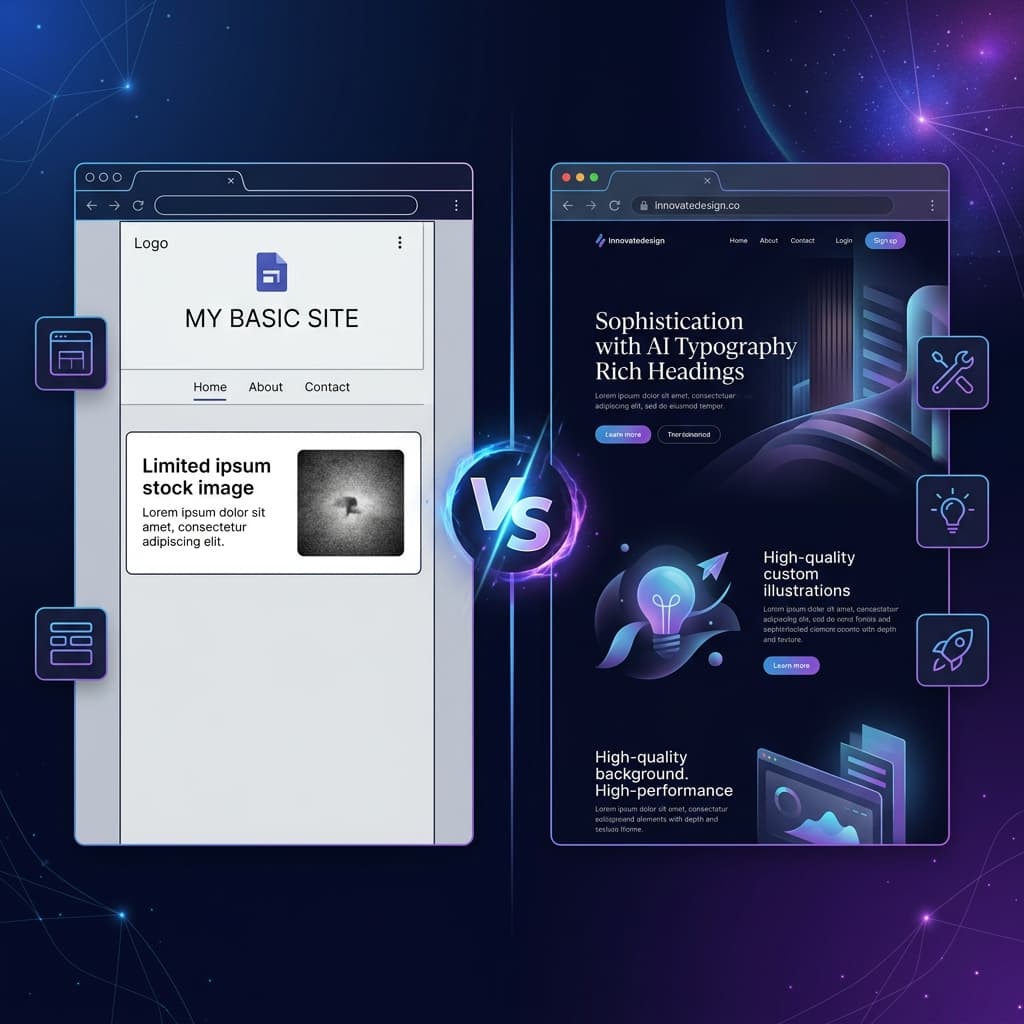
Google Sites offers a handful of templates and a limited set of layout options. Every Google Site looks like a Google Site — the same section blocks, the same button styles, the same font choices. There is no way to create a design that looks genuinely custom or premium.
For a school project, this is fine. For a business that wants to make a professional first impression, it is a serious problem.
5. No Contact Form That Actually Works
Google Sites does not have a built-in contact form. You can embed a Google Form, but it opens in a Google-branded interface, collects responses in a Google Sheets spreadsheet, and looks nothing like a real contact form on a professional website.
6. Limited SEO and AI Visibility
Google Sites provides very basic SEO controls. You cannot set custom meta descriptions per page, you cannot add structured data, and the URL structure is dictated by Google. For a business that wants to be found in search — or cited by AI answer engines — these limitations are significant.
7. No Analytics Built In
Google Sites does support Google Analytics, but you need to set it up yourself through the site settings. There are no built-in visitor stats, no page view counters, and no way to see how people are interacting with your site without configuring a separate tool.
The Better Approach: Use AI to Generate a Real Website
Here is the thing: if you have the time to build a Google Site, you have the time to generate a better website with AI. And the result is not even close.
Tools like ChatGPT, Claude, and Gemini can generate a complete, responsive, professionally designed website from a simple description of your business. The output is a real HTML file — clean code, modern design, custom colours, proper heading structure, mobile-friendly — that you own completely.
Step 1: Describe Your Business
Use the SiteDrop Prompt Creator to generate a perfect prompt, or just tell an AI tool what your business does:
"Create a one-page website for a plumbing business called FastFlow Plumbing in Leeds. Include a hero section, a list of services with prices, customer testimonials, opening hours, and a contact form. Use a clean blue and white colour scheme."
Step 2: Get the HTML File
The AI generates a complete website as an index.html file. Copy the code, paste it into a text file, and save it. That is your entire website — and you own it.
Step 3: Drop It on SiteDrop
Drag your HTML file onto SiteDrop. In under five seconds, your site is live on the internet with HTTPS, a global CDN, and a working contact form. No DNS configuration, no Google Workspace settings, no waiting.
Step 4: Get Your Own Domain
Claim a custom domain directly from the SiteDrop dashboard. No registrar dashboards, no CNAME records, no 48-hour waits. Your site is at www.yourbusiness.com in minutes.
Google Sites vs AI + SiteDrop: A Direct Comparison
- Design quality: Google Sites gives you basic templates. AI generates a custom, premium design tailored to your business and industry.
- Download your site: Google Sites does not let you download anything. With SiteDrop, you own the HTML files — and on the Pro plan you can download the whole site as a ZIP anytime.
- Custom domain: Google Sites requires manual DNS setup. SiteDrop handles domain claiming automatically.
- Contact form: Google Sites offers an embedded Google Form. SiteDrop provides a real, styled contact form with a built-in inbox.
- Code access: Google Sites gives you none. SiteDrop gives you full access to your HTML, CSS, and JavaScript.
- SEO and AEO: Google Sites has minimal controls. AI-generated sites hosted on SiteDrop come with clean semantic HTML and structured data.
- Portability: Google Sites locks you in. SiteDrop files are standard HTML — take them anywhere.
- Cost: Both are free to start.
When Google Sites Still Makes Sense
To be fair, Google Sites is not a bad tool — it is just the wrong tool for a business website. It still works well for:
- Internal team pages — project documentation, onboarding guides, team directories within a Google Workspace organisation.
- School projects — quick, simple pages for assignments or clubs.
- Event pages — a one-off page for a birthday party, wedding, or community event where design does not matter much.
But if you are a business that wants to be taken seriously online, Google Sites is not the right choice. You deserve a website that looks professional, works on every device, has a real contact form, shows up in search, and that you actually own.
The Bottom Line
Google Sites is free and easy, but it comes with a hidden cost: you do not own your website. You cannot download it, you cannot customise it beyond the basics, and if you ever want to leave, you start from zero.
Generating a website with AI and hosting it on SiteDrop takes the same amount of time (or less), produces a dramatically better result, and gives you full ownership of your files, your domain, and your data.
Same effort. Better result. Full control.
Skip Google Sites — get a real website in minutes
Generate a professional, custom website with AI and publish it instantly on SiteDrop. Full code access, custom domain, working contact form — and you own everything.
Get Started Free →Comments
No comments yet. Be the first to share your thoughts!