AI Can Design Your Website — But It Can't Handle Your Photos
AI is incredible at website design but terrible at using your actual images. Here's the smarter workflow: generate with placeholders, then swap in your real photos — no distortion, no quality loss.
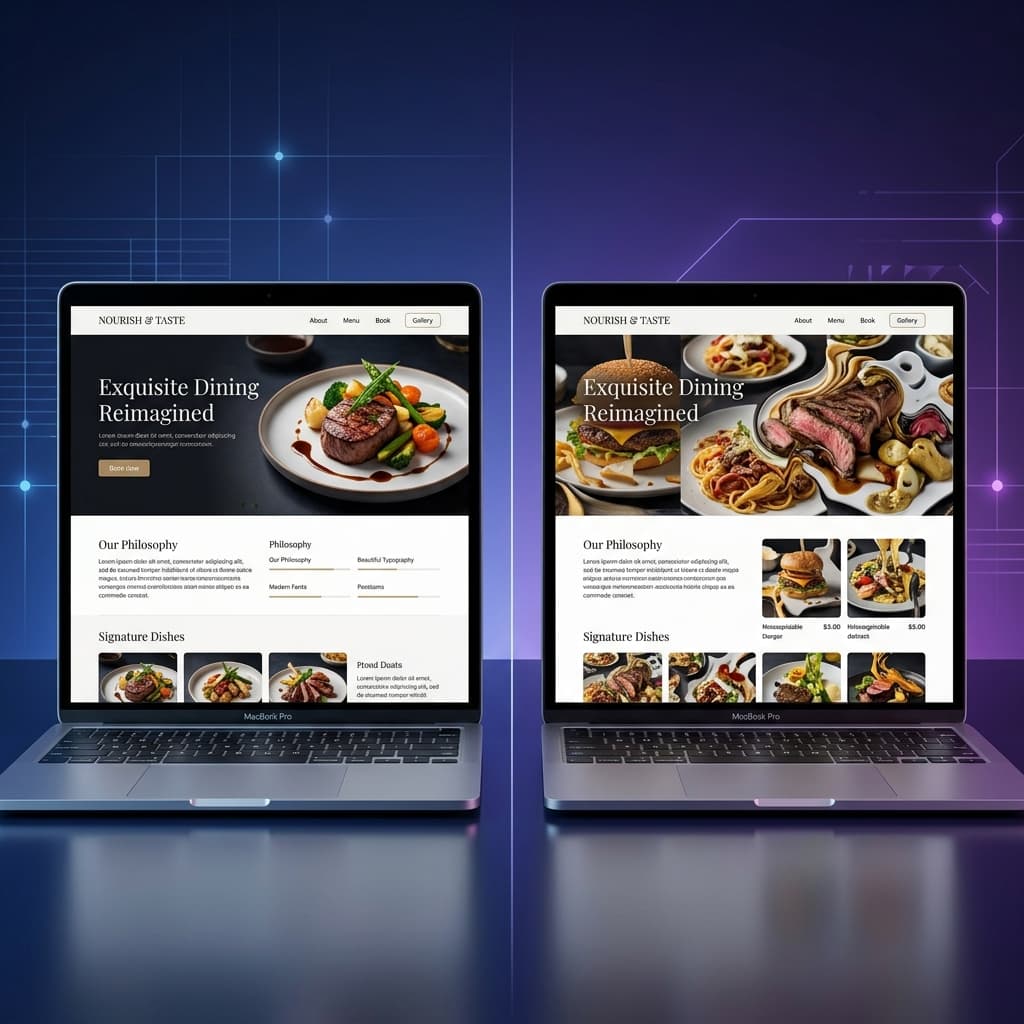
Here is the truth about AI website builders in 2026: they are spectacularly good at design, and spectacularly bad at your photos.
Ask ChatGPT, Claude, or Gemini to build you a restaurant website, and it will give you a stunning layout — the right sections, a beautiful colour palette, responsive typography, a working contact form, the works. The design part is essentially solved.
But the moment you try to include your own images — the ones you spent an afternoon shooting of your actual food, your actual shop front, your actual team — things go sideways. Fast.
The Image Problem Nobody Talks About
If you have ever pasted a photo into an AI prompt and asked it to incorporate it into a website, you have probably seen the results:
- Images get distorted. The AI resizes, crops, or stretches your photos in ways that make them look unrecognisable.
- Faces get mangled. Team photos come back with uncanny-valley edits — extra fingers, warped features, merged faces.
- Food looks inedible. Your perfectly styled dishes get re-rendered into something that belongs in a horror film, not a menu.
- Logos lose detail. Subtle brand elements — gradients, fine lines, transparency — get flattened or redrawn incorrectly.
- File quality drops.Even when the image "looks right," it has been re-encoded at a lower resolution, and the artefacts are visible on any modern screen.
This is not a minor inconvenience. For a restaurant, a salon, a bakery — any business where the visual identity is the product — using AI-mangled images is worse than using no images at all. A blurry photo of your signature dish tells customers you do not care about quality.
Why Does AI Struggle with Images?
The AI models that generate website code (HTML, CSS, JavaScript) are language models. They are trained on text. When you ask them to "include this image," they are not editing the image itself — they are generating code that references an image, and sometimes they try to re-describe or re-generate the image using a separate vision model.
The result is a game of telephone:
- You provide a high-quality photo of your restaurant.
- The AI describes what it "sees" in the photo (a table, some plates, warm lighting).
- It generates a new image from that description — or worse, embeds a base64-encoded version it has reprocessed.
- What comes out is a vaguely similar but fundamentally different image that no longer represents your actual business.
The AI is brilliant at structure. It is not built for fidelity. Asking it to faithfully reproduce your exact photos inside a generated website is like asking a novelist to paint a portrait — wrong tool for the job.
The Smart Workflow: Design First, Images Later
Once you understand the problem, the solution becomes obvious: let AI do what it is good at (design), and do the images yourself.
Here is the workflow that actually works:
Step 1: Generate Your Website with Placeholders
Use the SiteDrop Prompt Creator to build your website prompt. When you reach the image strategy step, choose placeholder images. This tells the AI to use clean, correctly sized placeholder boxes with descriptive alt text instead of trying to generate or incorporate real photos.
The prompt the tool generates will include instructions like:
Use placeholder images with descriptive alt text throughout. For the hero section, use a placeholder labelled "Restaurant interior, warm ambient lighting." For the menu gallery, use placeholders labelled with each dish name.
The AI will produce a beautifully designed site — perfect layout, responsive on every device, exactly the colour scheme you chose — with grey placeholder boxes where photos will go.
Step 2: Upload to SiteDrop
Take the HTML file (or ZIP) the AI generated and drag it onto SiteDrop. Your site goes live in seconds — placeholders and all. This gives you a real, working URL you can open on your phone, share with a friend, and see the layout in action before you spend time on images.
Step 3: Replace Placeholders with Your Real Photos
Now open your SiteDrop dashboard. You will see every placeholder image listed, each one labelled with its description (e.g. "Hero image — restaurant interior" or "Menu item — margherita pizza"). Click on any placeholder and upload your own photo. SiteDrop handles the sizing, compression, and deployment automatically.
Your original images go straight onto the live site, untouched by AI. No re-encoding, no distortion, no quality loss. The photo you upload is the photo your customers see.
Why This Approach Is Better
The placeholder-first workflow is not just a workaround. It is genuinely the better way to build a website with AI:
- Speed.You get a fully designed, live website in under ten minutes — even before your images are ready. No more waiting until you have "all the photos sorted" before you start.
- Quality. Your real photos appear at full resolution, exactly as you shot them. The AI designs around them rather than through them.
- Iteration. You can swap images any time. Seasonal menu? New team member? New location? Update one image in the dashboard and the live site refreshes instantly.
- Separation of concerns. The AI handles structure, layout, copy, SEO, and responsiveness. You handle the visual identity — the thing only you can provide. Each tool does what it does best.
- No technical skills needed. You do not need to open the HTML, find the image tag, update the file path, re-upload via FTP, or clear a cache. You click, upload, done.
Real Example: A Takeaway Restaurant
Let us walk through a concrete example. Say you run a takeaway called Flame & Spice in Manchester and you want a website.
Without the placeholder workflow
- You paste your food photos into ChatGPT and ask it to build a website.
- The AI re-generates your photos — your chicken tikka now looks like an oil painting of a vaguely orange plate.
- You spend an hour trying to fix the images in follow-up prompts.
- You give up and use the site with distorted images, or you give up entirely.
With the placeholder workflow
- You use the Prompt Creator— enter your business name, menu items, prices, colours, and select "placeholder images."
- Paste the prompt into ChatGPT. It generates a clean, professional site with labelled placeholders: "Hero — restaurant exterior," "Chicken Tikka Masala," "Lamb Biryani," etc.
- Upload to SiteDrop. Site is live in 30 seconds.
- Open the dashboard, click each placeholder, and upload your own food photos. Done.
Total time: under fifteen minutes. The AI designed the site. You provided the soul.
What About Stock Images?
You might be wondering: can I just use stock photos instead of placeholders? You can — but there is a reason we recommend against it for most businesses.
Stock images are fine for generic sections (a decorative background, an abstract pattern). But for anything that represents your business — your food, your shop, your team — customers can tell. A stock photo of a smiling person behind a counter does not build the same trust as a real photo of you behind your actual counter.
The placeholder approach pushes you toward using real images where it matters, and the dashboard makes it trivially easy to do so.
Tips for Great Website Photos
You do not need a professional photographer. Modern phones take incredible photos. A few tips:
- Natural light is everything. Shoot near a window or outdoors. Avoid overhead fluorescent lighting — it makes food look grey and spaces look clinical.
- Clean the background. Move clutter out of frame. A messy counter behind a beautiful dish undercuts the photo.
- Landscape orientation for heroes. Most hero sections are wide and short. Shoot your key photos horizontally.
- Square for menu items and galleries. Consistency matters. If every dish photo is roughly square, the grid looks polished.
- Do not over-filter. A slight increase in brightness and contrast is fine. Instagram-style filters make photos look dated on a professional website.
The Bottom Line
AI is the best website designer most small businesses will ever have access to. It writes clean code, builds responsive layouts, handles SEO, and does it all in minutes. But it cannot reproduce your photos faithfully — and pretending otherwise wastes your time and hurts your brand.
The answer is not to avoid AI. The answer is to use it for what it is good at, and handle images yourself.
With SiteDrop, the workflow is simple: generate with placeholders, upload to go live, then swap in your real photos from the dashboard. Your website gets the benefit of AI design and the authenticity of your own photography — the best of both worlds.
Build your site with placeholders now
Use the Prompt Creator to generate a ready-to-paste AI prompt — with smart placeholder images built in. Free, no sign-up required.
Create Your Prompt →Comments
No comments yet. Be the first to share your thoughts!